
1.16. Buy Now Button
Introduction
Buy Now Button integration is relevant for Connecting Party who has limited portfolio of products to sell. It is the easiest way to integrate with Billblend. This way of integration doesn’t require much technical effort. Buy Now Button integration also allows Connecting Party to exclude itself from storing, processing, or transmitting Payer’s cardholder data or other sensitive payment details. Such data is submitted by Payer on Billblend hosted customer details form and payment form in PCI DSS certified environment.
See terms definitions in Glossary.
- Payer clicks on Buy Now Button, gets redirected to customer details form provided by Payment Gateway and submits customer data;
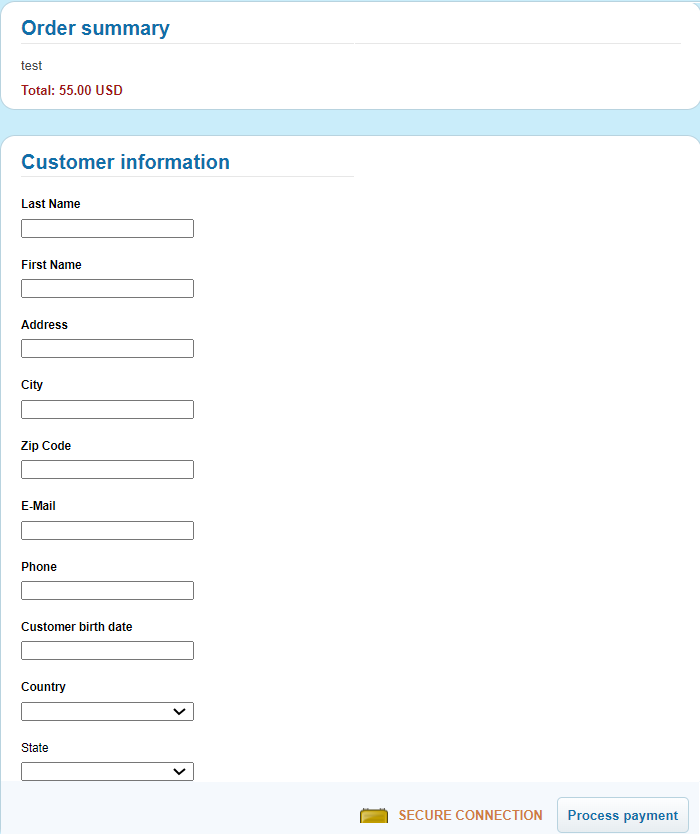
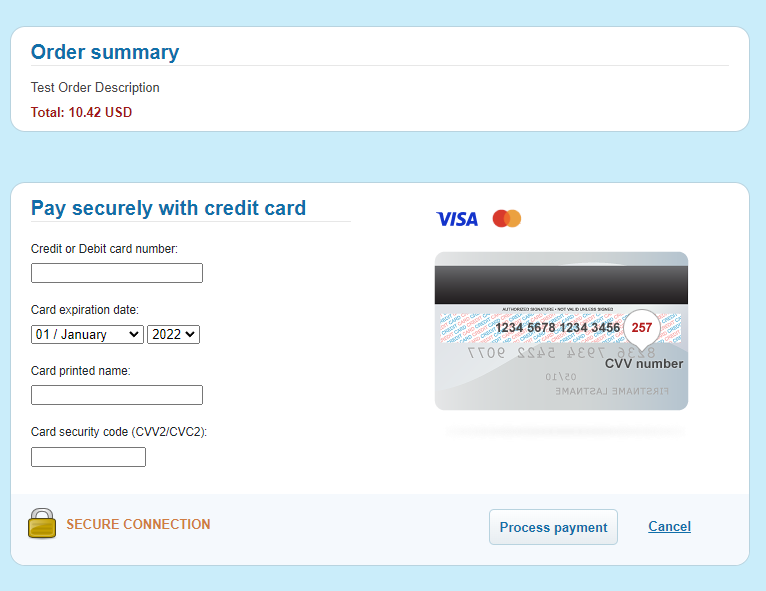
- Payers then gets redirected to payment form and submits payment (cardholder) data.
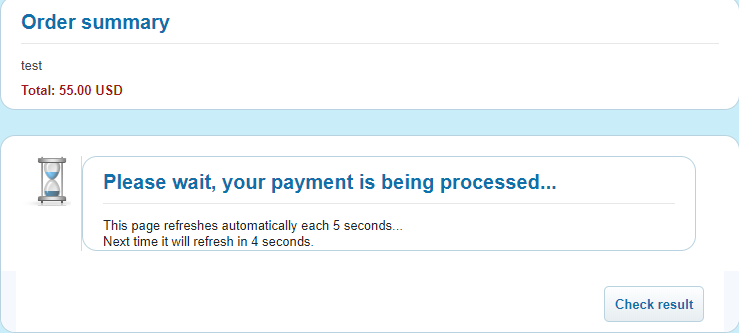
- Contextual data is gathered by Billblend to process the transaction, Payer stays on wait form until transaction is finished;
- Payer’s browser gets redirected to the Connecting Party website to the resultant page.
Required Parameters for Buy Now Button Integration
Connecting Party provides to Payment Gateway support the following information for each product (item): Amount, Description, Final Redirect URL, Destination (purpose of payment) and Payment tool (payment method).
Payment Gateway provides to Connecting Party the Buy Now Button URLs for each product (item). URLs have the following format:
| Integration | Production |
|---|---|
| https://sandbox.billblend.com/checkout/api/v2/pay/ENDPOINTID/ITEMID | https://pay.billblend.com/checkout/api/v2/pay/ENDPOINTID/ITEMID |
Buy Now Button Form Flow
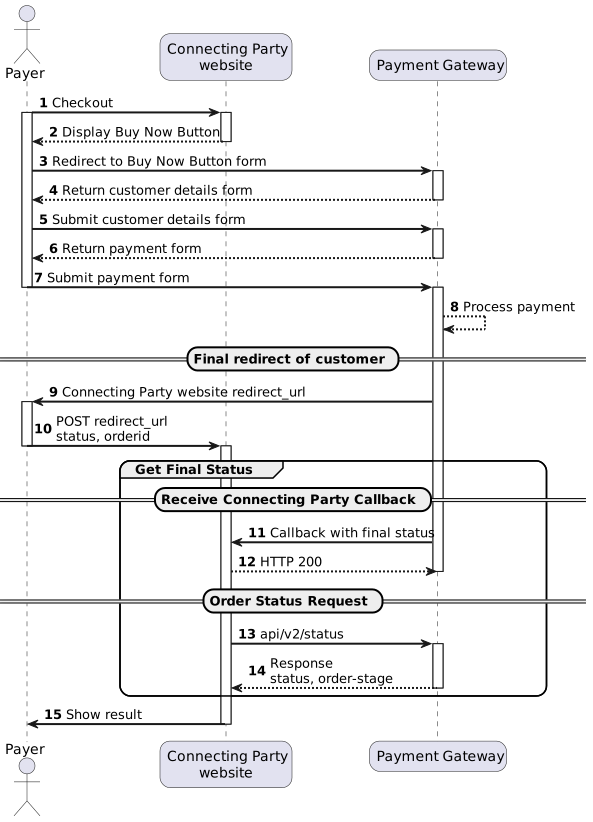
(2) Place the Buy Now Button HTML element on checkout page available for the Payer.
(9) To implement final redirect see Final Redirect.
(11,12) To implement order status request see /api/v2/status/. Connecting Party may request order status after receiving transaction ID in either Connecting Party callback or final redirect.
(13) To implement callback with final status handling see Connecting Party Callbacks.